

Digital menu board
Digital menu board: your restaurant's menu on a TV, always with the right price
A digital menu board is a menu shown on a TV at the counter or in the dining room, instead of a printed one. With DSPLAY you pick a template, add your products, prices, logo and background photo, and publish it to the TV from a web dashboard. Changed a price? Edit it in the dashboard and the screens update on their own, with no reprinting. You can also schedule one menu for breakfast and another for lunch.
✓ 3 months free · ✓ No credit card · ✓ All you need is a TV or a TV box
New prices without reprinting
Edit a name or a price in the dashboard and the menu changes on every screen.
A menu for each time of day
Breakfast, lunch and happy hour, each at its own time and day of the week.
Where to use a digital menu board
Anywhere customers choose what to order by looking at the wall: the counter, the till and the queue.
- Restaurants: Daily specials, set meals and desserts with prices, on the TV in the dining room or at the entrance.
- Cafés and bakeries: Coffee, pastries and combos at the counter, with a morning menu and an afternoon one.
- Food courts: A menu that reads from a distance, for people choosing between several outlets before they queue.
- Snack bars and fast food: Burgers, combos and drinks above the till, with the prices you update in the dashboard.
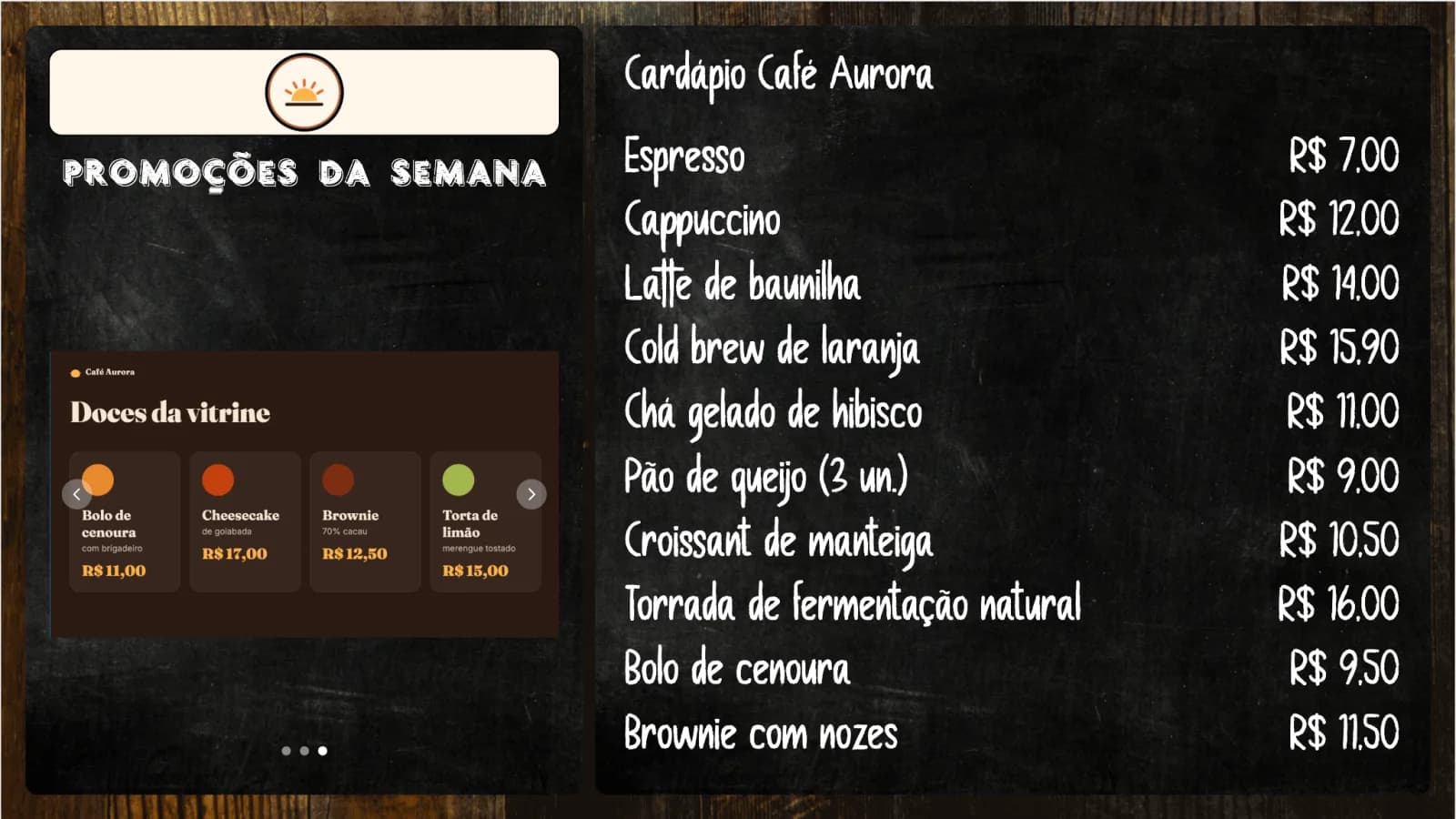
Menu on the TV · demo project
Build the menu in minutes
The digital menu board is a DSPLAY content type: you fill in the products and DSPLAY lays out the screen.
- Products and prices: Type each item's name and price. Price changed? Edit it in the dashboard and the TVs update on their own.
- Ready-made templates: Choose one of DSPLAY's menu templates, no designer needed.
- In your brand's look: Add your logo and a background photo, such as your signature dish or your dining room.
- Menu and promotions on the same TV: Alternate the menu with photos and videos of your dishes in a playlist, or split the screen into zones.
- Works without internet: The menu is stored on the player and stays on screen if the internet drops.
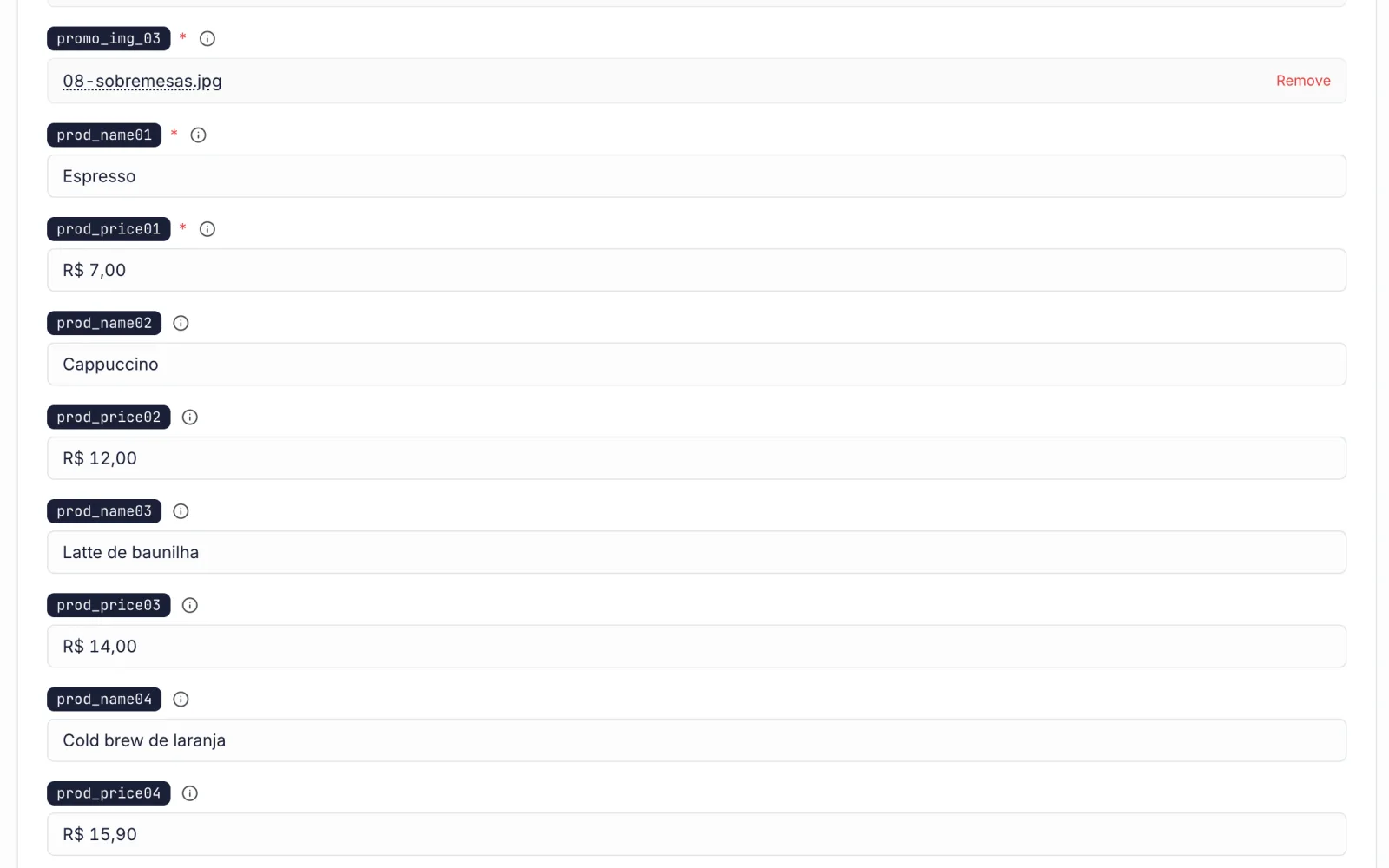
DSPLAY dashboard · products and prices
One TV or a hundred, all in one dashboard
From your first shop to the whole chain, you update each screen from the browser, without going there.
- The same menu in every shop: Group screens by shop or city and change a price on all of them at once.
- A menu for each time of day: Schedule each menu by time and day of the week: the breakfast menu goes off air when lunch comes on.
- Know whether each screen is on air: See each player's status in the dashboard, without waiting for a customer to tell you the TV is off.
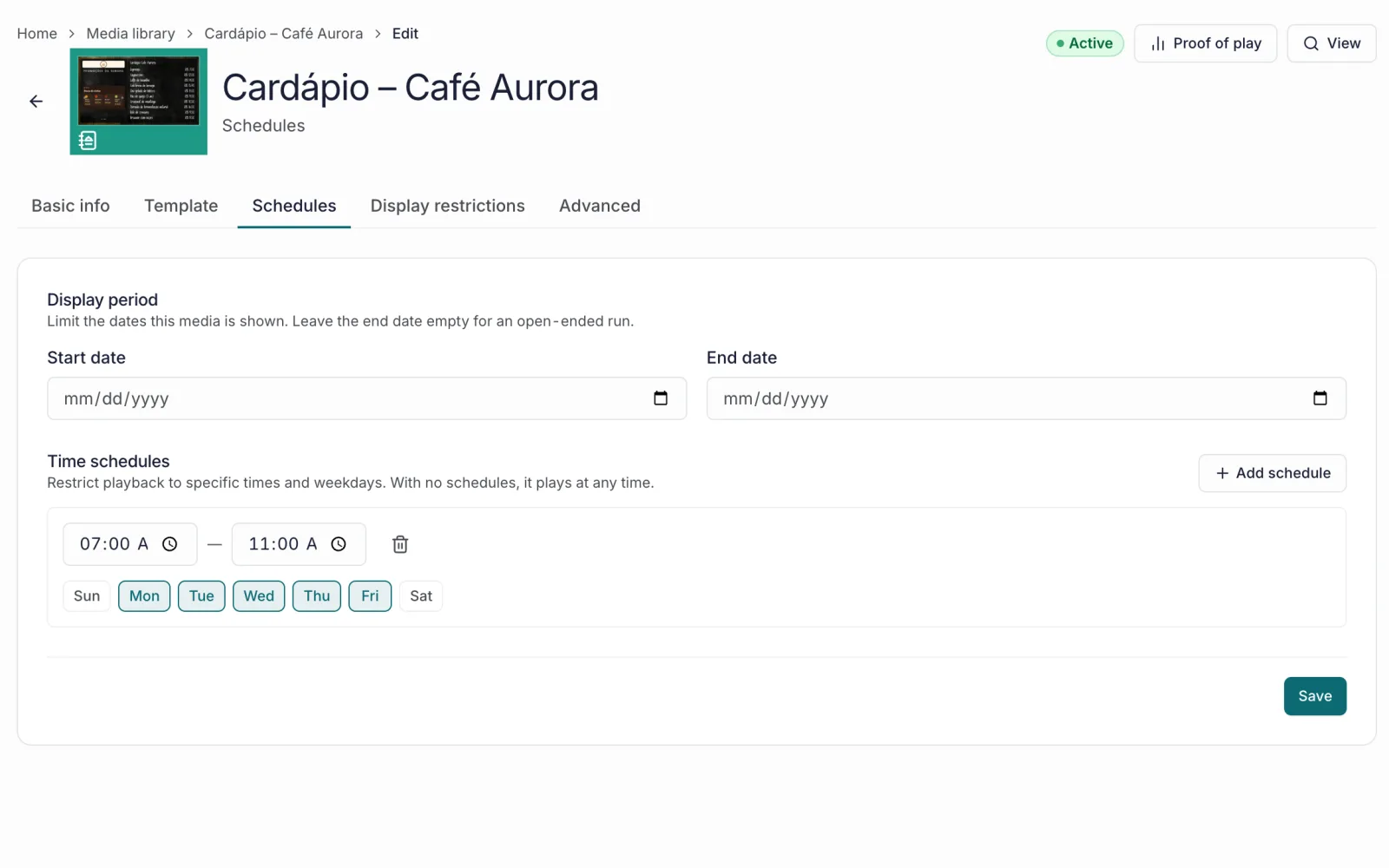
DSPLAY dashboard · breakfast menu
How much a digital menu board with DSPLAY costs
You start at R$ 0: 3 months free for 1 screen, no credit card required. After that, DSPLAY is billed per screen, monthly or yearly, with 20% off the yearly plan. The total cost also includes the TV and the player.
✓ 3 months free · ✓ No credit card · ✓ All you need is a TV or a TV box
Digital menu board FAQ
Read more
What is a digital menu board?
It is a restaurant menu shown on a TV, instead of a printed menu or an acrylic panel. With DSPLAY, what the TV shows is edited over the internet: products, prices, logo and background photo.
How do I update the prices on the TV?
In the DSPLAY dashboard, from the browser: edit the item's name or price and save. The TVs download the new menu on their own, with no USB stick and nothing to reprint.
Can I have one menu for breakfast and another for lunch?
Yes. Create a menu for each meal and schedule each one by time and day of the week. The TV switches menus on its own at the right time.
What do I need to get started?
A TV or a TV box: a TV with Android TV, a Fire TV Stick or an Android TV box, with the DSPLAY app installed. Create your account, pair the TV in the dashboard and publish your first menu.
How much does a digital menu board cost?
You start at R$ 0: 3 months free for 1 screen, no credit card required. After that, billing is per screen, monthly or yearly, with 20% off the yearly plan.
Does the menu disappear if the internet goes down?
No. The menu is stored on the player and keeps playing without internet. Price changes arrive when the connection comes back.
Can I show videos and promotions alongside the menu?
Yes. Put the menu in a playlist with photos and videos of your dishes, or use a multi-zone layout to show the menu and a promotion at the same time.
Put your menu on a TV today
Create your account, pair the TV and publish your first menu in a few minutes, no credit card required.
Free trial, no credit card.